SSH Tunnel Manager with Docker and Autossh


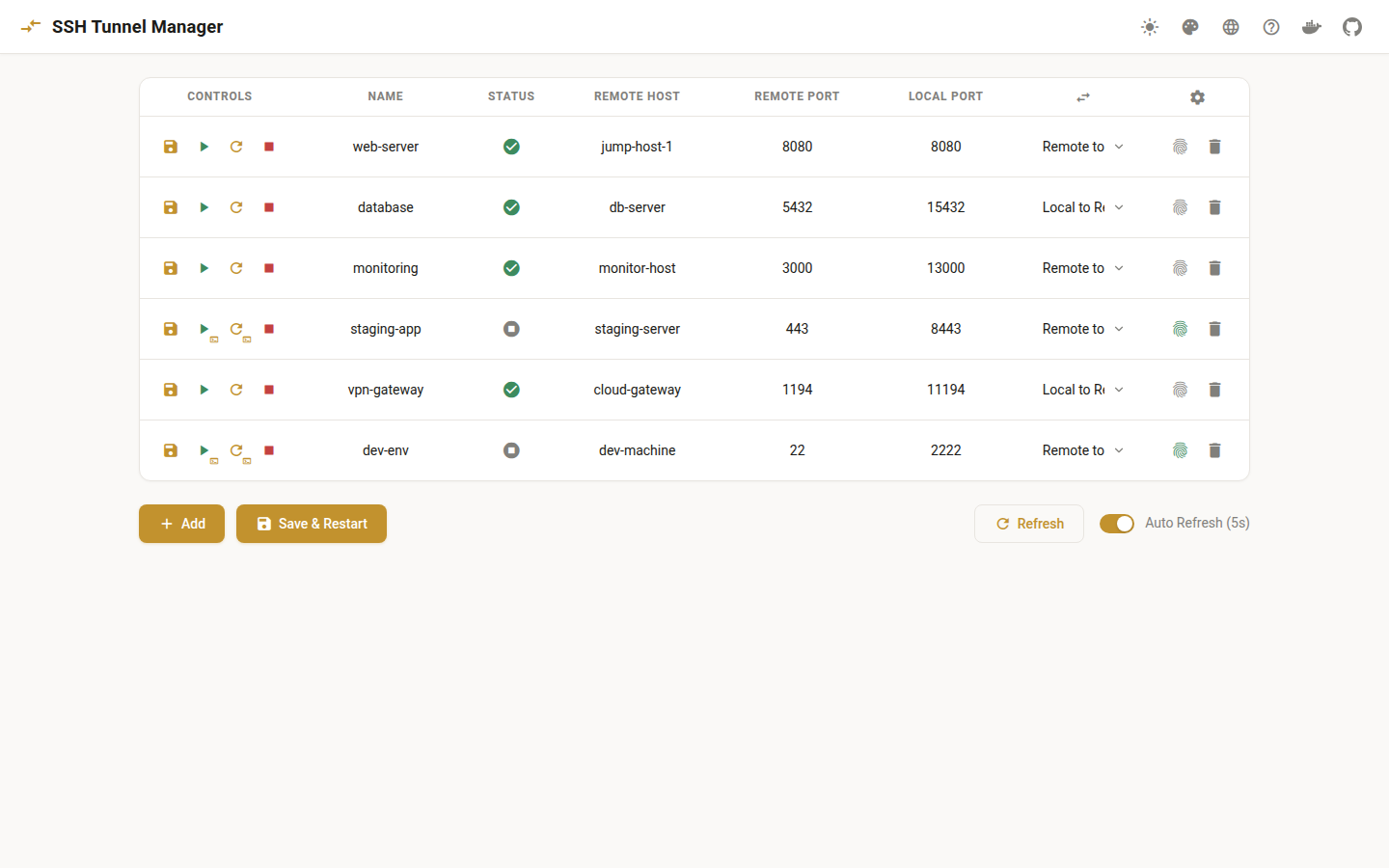
This project provides a Docker-based solution to manage SSH tunnels using autossh and a YAML configuration file. This setup allows you to easily expose local services to a remote server through an SSH tunnel or map remote services to a local port, making it convenient to access services behind a firewall.
Features
- Dockerized: Environment encapsulated with Docker, making it easy to deploy and manage.
- Non-root User: Run container as a non-root user to enhance security.
- YAML Configuration: Define multiple SSH tunnel mappings using the
config.yamlfile and support automatic service reload upon configuration changes. - Autossh: Automatically maintain SSH connection to ensure tunnels remain active.
- Dynamic UID/GID Support: Set container user's UID and GID dynamically using
PUIDandPGIDenvironment variables to match host user permissions. - Multi-architecture Support: Supports all Alpine base architectures, including
linux/amd64,linux/arm64/v8,linux/arm/v7,linux/arm/v6,linux/386,linux/ppc64le,linux/s390x, andlinux/riscv64. - Flexible Direction Configuration: Support exposing local services to a remote server (
local_to_remote) or mapping remote services to a local port (remote_to_local). - Automatic Reload: Detect changes in
config.yamland automatically reload the service configuration. - Web-Based Configuration: Manage tunnels and configuration updates via a web panel with dark/light theme support.
- In-Browser Interactive Authentication: Authenticate interactive SSH tunnels (password/2FA) directly from the web panel via an embedded xterm.js terminal powered by a WebSocket server.
- CLI Tool (autossh-cli): Command-line interface for managing tunnels, viewing status, and controlling individual tunnels.
- HTTP API: RESTful API for programmatic tunnel control, enabling integration with other tools and automation.
- Individual Tunnel Control: Start, stop, and manage each tunnel independently without affecting others.
Prerequisites
- Docker and Docker Compose are installed on the local machine.
- SSH keys are set up for accessing the remote host.
Quick Links
- Getting Started - Quick installation and setup guide
- SSH Configuration - How to configure SSH for tunnel connections
- Web Panel - Using the web-based management interface
- Tunnel Control API - CLI and HTTP API documentation
Releases
The packaged Docker images are available on Docker Hub:
Feel free to use it and provide feedback!
License
This project is licensed under the MIT License.
Acknowledgments
- autossh for maintaining SSH connections.
- Docker for containerization.
- Alpine Linux for the lightweight base image.
- Go for the web panel backend.
- Material for MkDocs for the documentation theme.